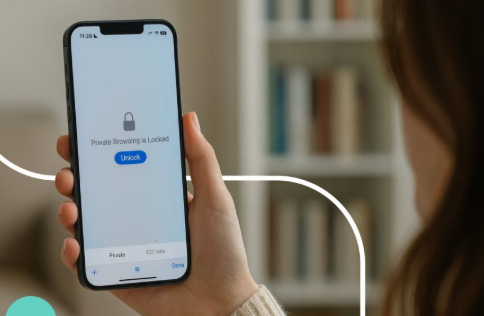
A private window changes what a browser keeps from a visit. It does not make the visit disappear from every system involved. That distinction can get lost behind the darker window, the separate icon, and the absence of a new entry in ordinary browsing history. For anyone opening an online slots page, the useful question is whose copy of the activity is being discussed. A browser session, a website account, and a network connection are different places where information can exist. Private browsing addresses some local records. Treating it as a promise about all three creates expectations the browser cannot meet, particularly once a visitor signs into an account.
Start with the session on the device
Visiting a desi online slots site in a private window changes the browsing context rather than the category of website being opened. The referenced address names a slots section within the site’s services pages. It supplies no evidence about that site’s data collection practices. The browser’s own documentation is the place to establish what its private mode does. Chrome describes Incognito as a separate session, with temporary cookies and site data retained while that session is active. This allows pages to function without treating every click as a completely unrelated visit. Private browsing therefore does not mean that the browser uses no cookies at any point.
The cleanup happens when the private session ends. Chrome says it removes the session’s cookies and site data and does not retain a record of the sites visited. Its instructions also specify closing every Incognito window. Opening another private window continues the same Incognito session, so shutting one visible window may leave the session running elsewhere. This is a practical detail on a computer with several windows open. Check the private windows as a group before handing over the device. Closing the ordinary browser window does not establish that the separate private session has ended, and the darker appearance alone says nothing about whether other private windows remain open.
Signing in still tells the site who the visitor is
A private window can separate a visit from existing browser cookies without separating it from an account deliberately used during that visit. Entering account credentials gives the website information with which to identify the user. Mozilla explains that signing into a site in a Private Window allows that site to recognize the account. The absence of a local history entry does not cancel that identification. Nor should closing a window be interpreted as a request for the provider to erase its records. Assess the site’s handling of account activity through its actual privacy and account controls. The browser’s local cleanup and the provider’s records answer different questions.
Identity is also broader than an account name. Mozilla states that a Private Window does not hide the IP address or make the visitor anonymous online. Organizations managing a work or school network, and internet providers, may retain visibility into aspects of network activity. That does not mean every observer can read every field on an encrypted page. It means private mode is not a guarantee of network invisibility. Keep the distinction precise when deciding where to browse. A feature intended to limit local browser records should not be treated as permission to disregard workplace rules or as evidence that no outside system can associate activity with the connection.
Separate session cleanup from things deliberately saved
Private browsing does not erase everything a person chooses to create during the visit. Firefox documents that saved bookmarks remain available and downloaded files stay on the computer, even though those files no longer appear in its private session’s download list afterward. Existing information can remain visible too. Its address bar can suggest bookmarks or sites from ordinary browsing without proving that the private visit was saved there. These exceptions are worth checking on a shared device. A private session can end correctly while a deliberately saved item remains. The right response is to review those items separately, rather than assume the browser failed to close the session.
- Confirm that the intended window is actually in private mode.
- Treat credentials entered into a website as account identification.
- Close all private windows when the session is finished.
- Review saved bookmarks and downloaded files separately.
- Check the site’s own controls for questions about account records.
Use private mode for the boundary it actually controls
Private browsing is useful when the goal is to limit what an ordinary browser session leaves on a shared device. It cannot establish whether an online slots operator is trustworthy, whether its claims are accurate, or how it retains account information. Mozilla also cautions that private mode is not protection against malware or viruses. Judge unfamiliar links and files on their own merits rather than borrowing confidence from the window’s appearance. The concrete result to expect is a closed private session with its temporary local data cleared, subject to the browser’s documented exceptions. Anonymity, provider-side deletion, and the safety of the website require separate evidence that a private window does not supply.